

The pool
Bring the roster you want to draft from. Import a spreadsheet, or add tiers, types, and point costs as columns you can draft against.
Solution / Use Case
Running a draft league for your group? Build your pool, set the tier rules everyone agreed on, and draft live — on a board the whole league can watch, from any device.

What you are drafting
Every league does it a little differently. Bring the roster you want to draft from, set the limits your group agreed on, and keep the results somewhere everyone can see them.
Bring the roster you want to draft from. Import a spreadsheet, or add tiers, types, and point costs as columns you can draft against.

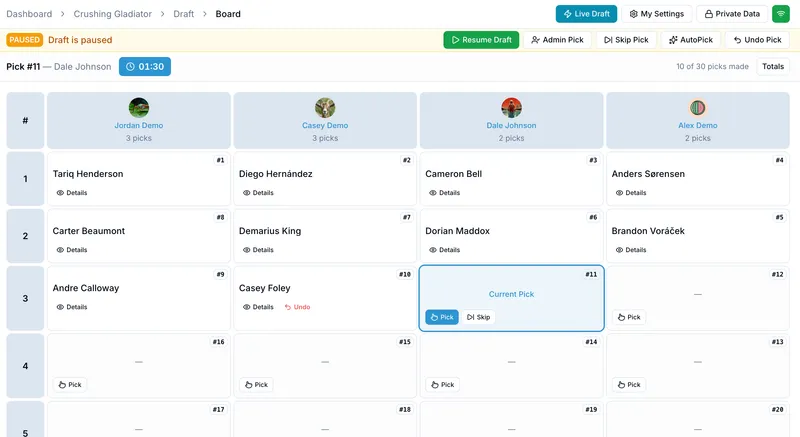
Everyone picks in turn order — snake or straight — with a pick timer and a live board, whether your league is in one room or six time zones.

Rosters and the full pick history stay put all season, so nobody has to scroll back through the group chat to settle an argument.
Draft rules
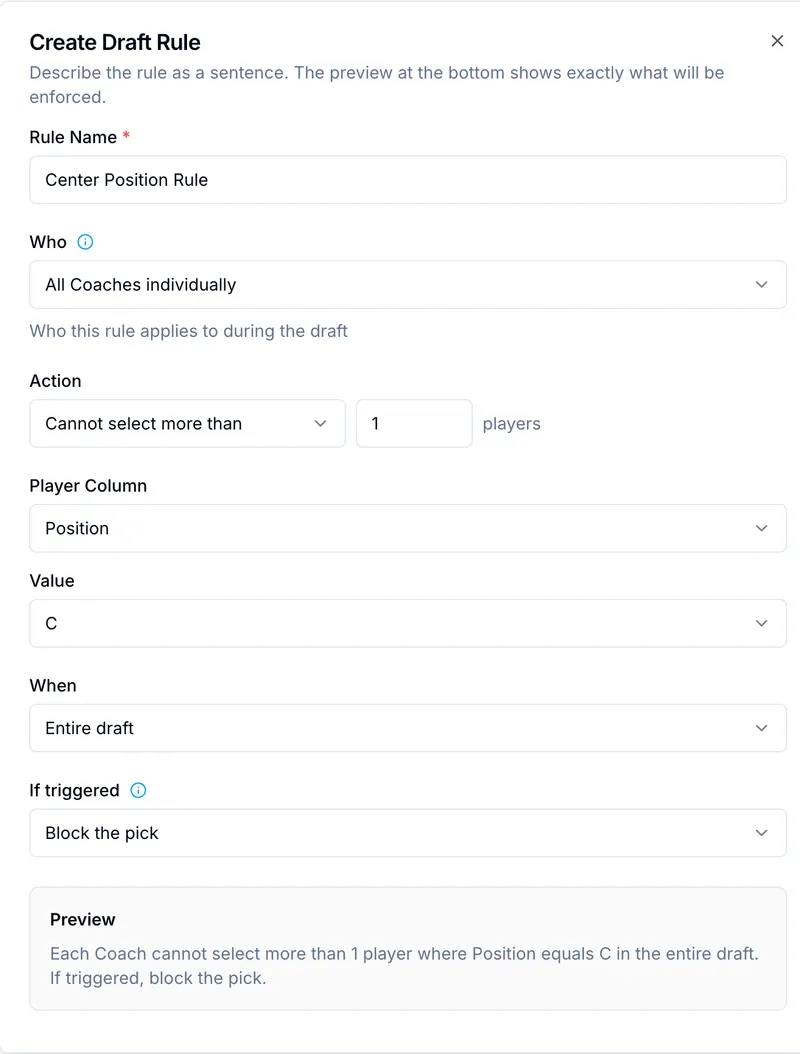
One legendary per trainer. No more than two of any type. Write the limit as a sentence, pick what happens when someone hits it, and the draft holds the line — so nobody has to police the board mid-pick.
How it works
Three steps, and no spreadsheet surgery in any of them.
Import a CSV or Excel file — or copy the built-in prompt, hand it to an AI assistant with your source list, and upload the file it gives back.
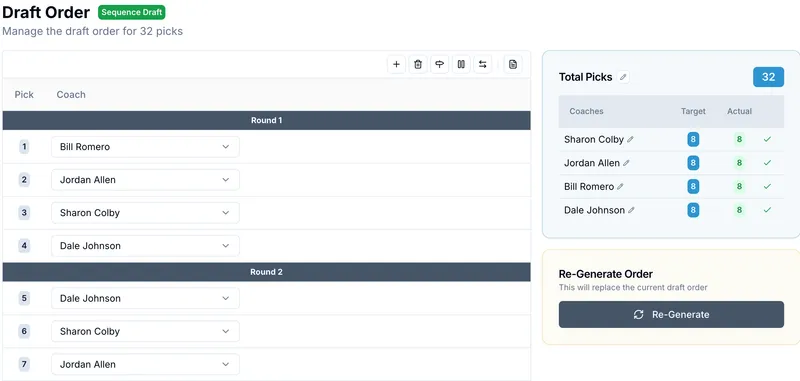
Tier and pick limits, a time limit per pick, and a draft order you can generate or arrange by hand.
Invite your league, put the board on a screen, and pick. Everyone sees every selection as it happens.
Helpful features
Start with the draft. Add the rest when your league asks for it.
Create a group, load your pool, and run a practice draft before the real one.
OnlineDraft is an independent drafting tool and is not endorsed by, affiliated with, or sponsored by Nintendo, Game Freak, or The Pokémon Company. All creature artwork shown on this page is original and depicts no existing character.